
CalenDear
Shared plans, chores & rewards
The whole family, one calendar.
Type “Soccer practice every Tuesday 4pm with Luca” and CalenDear files it correctly — the right kind of thing, the right day, the right person. Everything syncs through your own iCloud.
Free · iPhone, iPad & Apple Watch
 Scan to download

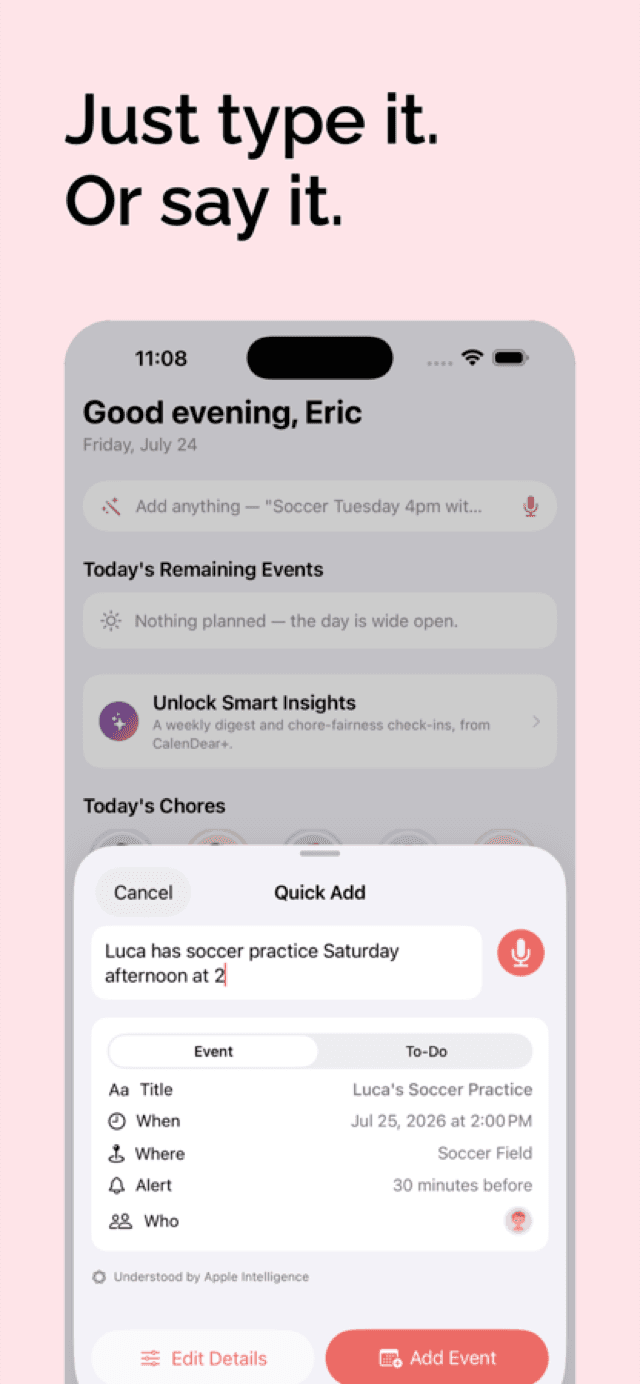
Just type it. Or say it.
No form to fill in. Say it the way you'd say it to your partner, and CalenDear works out whether it's an event, a to-do, or a recurring chore — then fills in the date, the repeat, the people, and the reminder.
You type or say
“Soccer practice every Tuesday 4pm with Luca”
CalenDear creates
Event- Title
- Soccer Practice
- When
- Tuesdays, 4:00 PM
- Repeats
- Weekly
- Who
- Luca
Three ways to understand you
Instant
A rule-based parser reads every keystroke and shows you the live preview. No network, no waiting.
On-device AI
Apple's on-device model handles the awkward phrasings on iOS 26 and later — still without your words leaving the phone.
CalenDear+
A cloud model catches the rest. Names are swapped for placeholders before the phrase is sent, and restored on your device.
Everything a household actually runs on
Built after living with Skylight Calendar and wanting the calendar, the chores and the rewards — without the rest.
One shared calendar
Every person gets a color that follows them everywhere. Day, week and month views, with a live line showing where you are right now.
Chores that reset
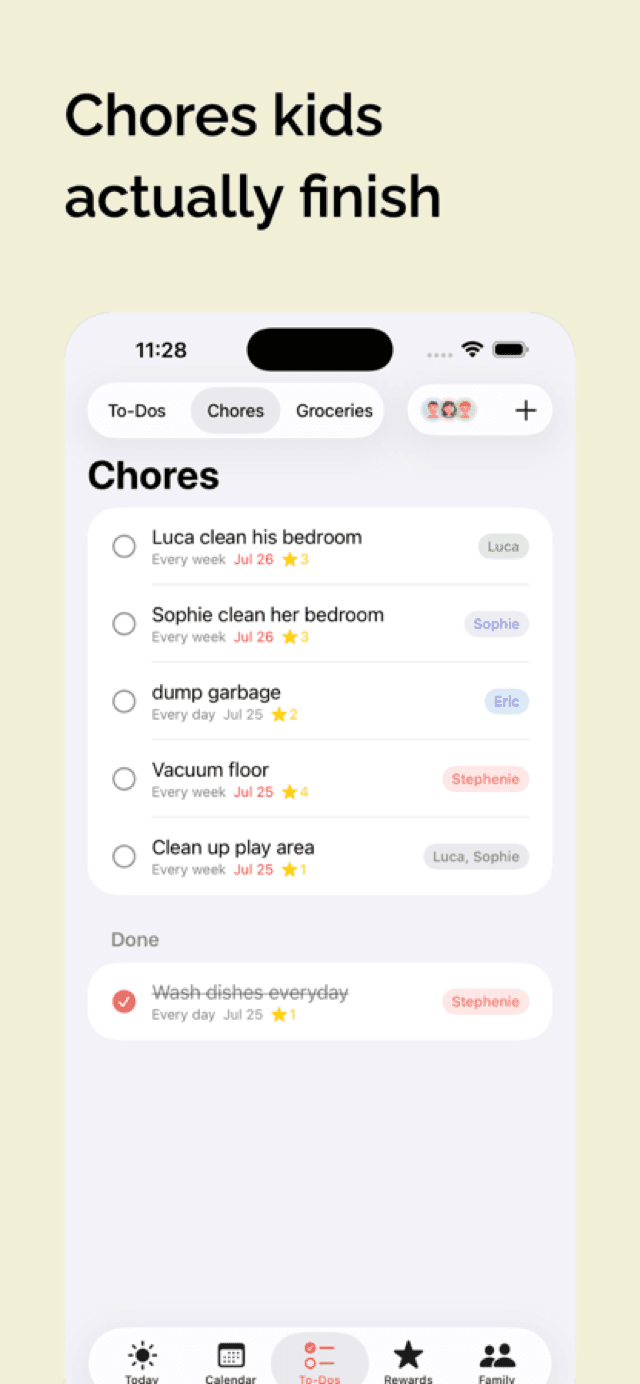
Daily, weekly or monthly chores clear themselves each period. Joint chores can be one shared checkbox instead of a copy for each kid.
Stars worth earning
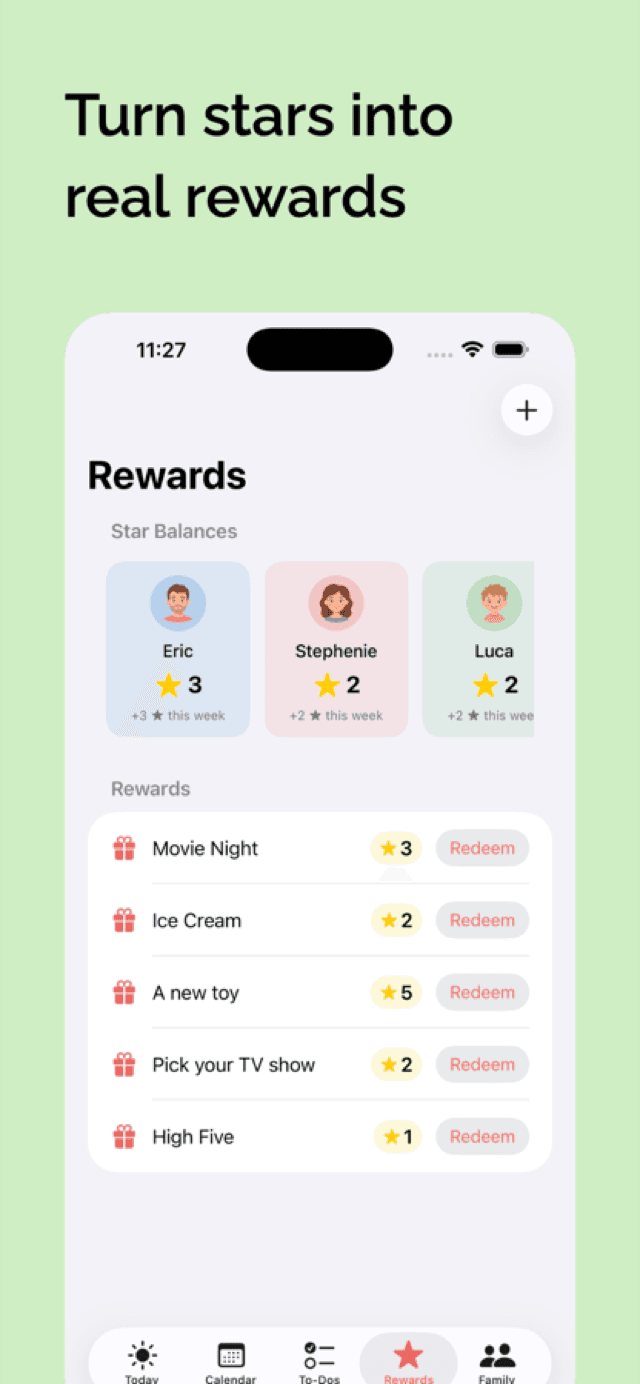
Chores are worth 1–5 stars. Kids bank them, keep a streak, and spend them on the rewards your family decided on together.
Who's driving
Put someone in charge of an event — or of just Thursday. Long-press to claim it or hand it back, and the other person gets told.
Double-booking caught
CalenDear flags it when the same person is in two places at once, counting busy time from their other calendars too.
Kids get their own view
Kid profiles can always check off chores, but rewards, family settings and caretaking stay with the adults. You decide the rest.
Change just this Tuesday
Edit or delete one occurrence of a repeating event and the rest of the series carries on untouched.
Wrist and home screen
A Today widget in three sizes, and an Apple Watch app for checking off a chore without getting your phone out.
See it running
Six screens from the app, straight off an iPhone.
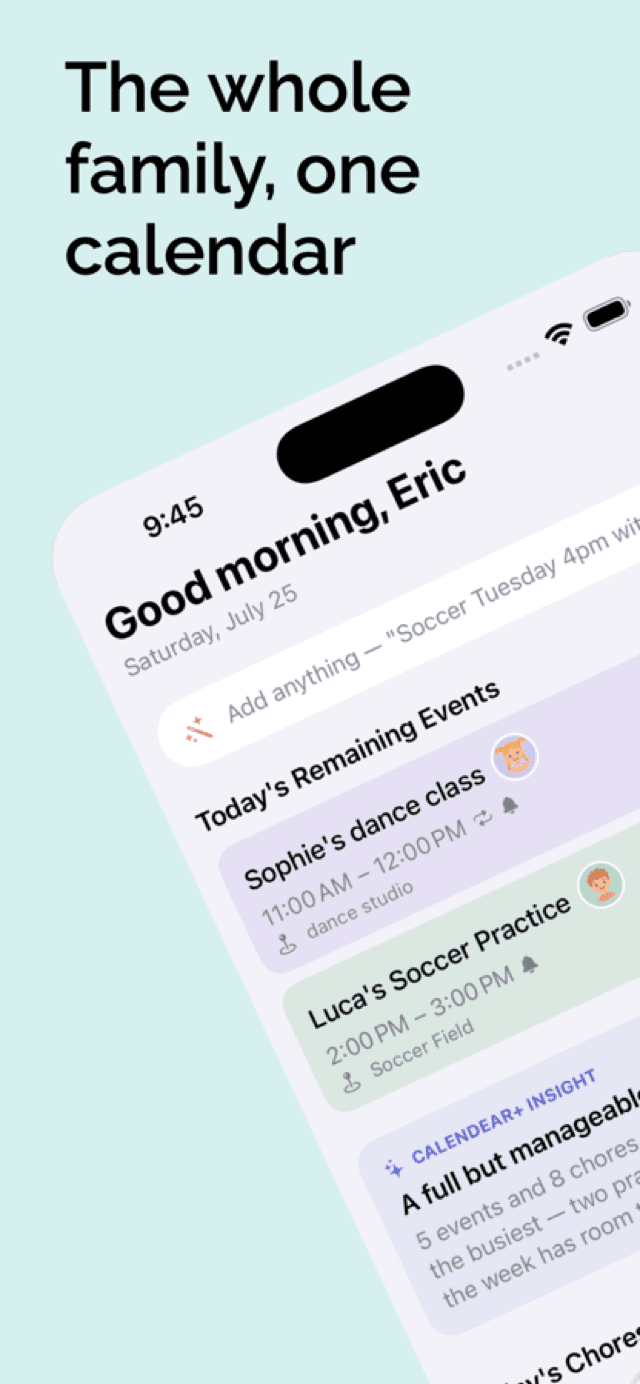
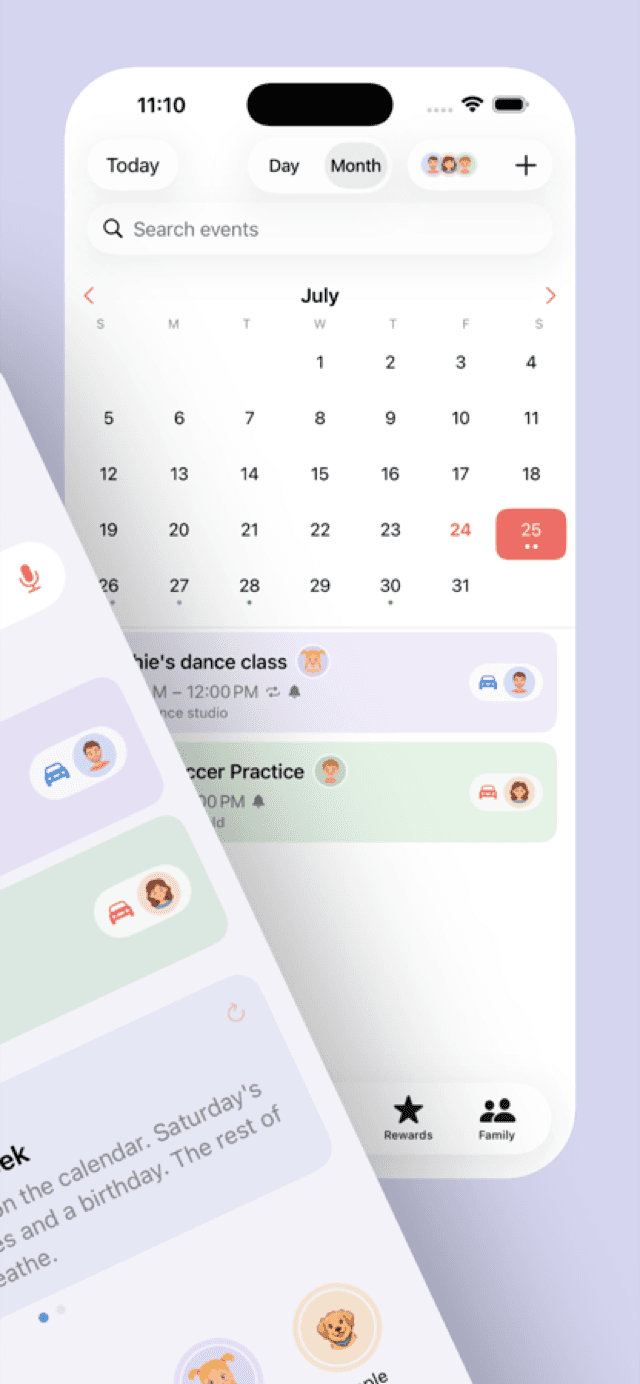
Swipe to see more →
Set up in an evening
Start your family
Add everyone who lives there. Each person picks a color and an avatar — a photo, a Memoji, or just their initial.
Invite the others
One tap sends an invitation through Apple's own sharing. Everyone edits the same calendar from their own iCloud account.
Start talking to it
Type or speak whatever's coming up. The Today screen shows what's left, who's doing it, and which chores are still open.
Ask family to accept the invitation before they add anything of their own — data created beforehand isn't merged in.
CalenDear+
The extras, when you want them
One subscription covers your whole Apple Family Sharing group. Everything above stays free.
Smarter quick add
A cloud model takes on the phrasings the on-device parser trips over — with names pseudonymized before they leave the phone.
Smart Insights
A weekly digest and chore-fairness check-ins on the Today tab. When the week is genuinely quiet, it says nothing rather than padding.
Your other calendars
Overlay the Apple, Google and Outlook calendars already on your device — strictly read-only, with a privacy level per calendar.
Groceries that sort themselves
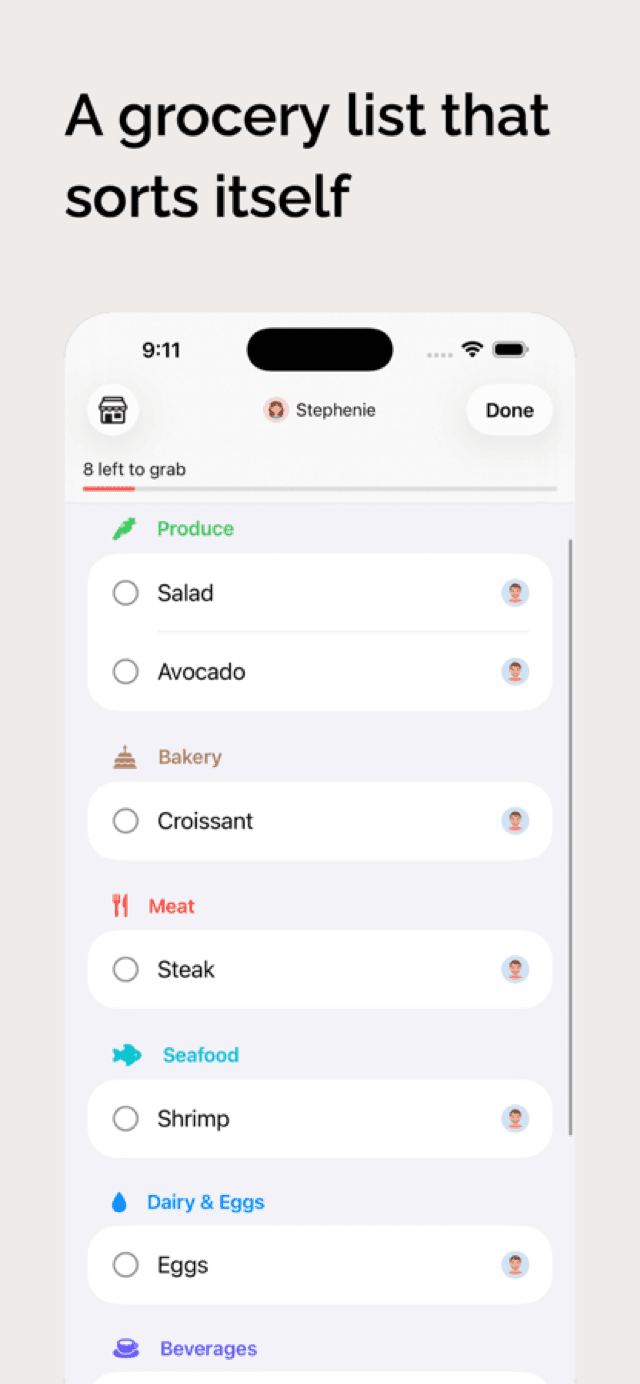
Add “avocados” and it lands under Produce. Save the aisle order for Costco and the Asian market, then shop in a focused list.
Your family's data never reaches us
This is a family calendar with your kids' names and your address in it. It is built so that we could not read it even if we wanted to.
It lives in your iCloud
Events, chores, groceries, stars, and every family profile sync through your own Apple account. We hold no copy and no account of yours.
Names go out as placeholders
The two features that do reach our server replace every real name with “Kid A” or “Adult B” first — in the roster, in free text, and in titles. Your device puts the real names back.
Nothing is kept
A request is used to produce that one result and is not stored or logged afterwards. Voice input and speech recognition never leave the device at all.
No ads, no trackers
There is no advertising SDK, no analytics SDK, and no third-party tracking in the app. Nothing to opt out of.
Free to run your household
Pay only if you want the AI extras.
CalenDear
- Shared family calendar
- Natural-language quick add, on device
- To-dos, chores and star rewards
- Caretakers and conflict detection
- Parent and kid roles
- Widget and Apple Watch app
CalenDear+
or $39.99 a year
- Everything in the free app
- Cloud-powered quick add
- Weekly digest and chore-fairness insights
- Apple, Google and Outlook calendar overlay
- Shared grocery list with aisle sorting
- Store layouts and Shopping Mode
Subscriptions are billed through your Apple account and can be cancelled any time in App Store settings.
Questions families ask
Does everyone in the family need an iPhone?
Yes — CalenDear syncs through Apple's iCloud, so each person needs their own Apple account on an Apple device. It runs on iPhone and iPad (iOS 17 or later), Apple Watch (watchOS 11) and Apple Vision Pro.
Do I have to subscribe?
No. The calendar, chores, to-dos, star rewards, caretakers, the widget and the Watch app are all free, with no ads and no limits. CalenDear+ adds cloud quick add, Smart Insights, external calendar overlay and the shared grocery list.
How do I invite my family?
Settings → Invite Family Members creates an invitation and hands it to Apple's share sheet — send it by Messages, Mail or link. Tapping that link is the only way to join; there is no join-by-code, because Apple's sharing doesn't offer one.
What if I already added things before being invited?
Accept the invitation first. Anything created before joining lives in your own private store and isn't merged into the family's data. CalenDear shows you exactly what would be replaced before you commit.
Where is my family's data stored?
On your devices and in your own iCloud account. The developer has no server-side copy of it. Only two CalenDear+ features send anything out, and both replace real names with placeholders first.
Can it show my existing Google or Apple calendar?
With CalenDear+, yes — it overlays the calendars already set up on your device, read-only. CalenDear never writes to, edits or deletes anything in those calendars.
Can my kids use it safely?
Kid profiles can always check off their chores, but can't touch rewards, family management or caretaking. You choose whether they may add or edit events and to-dos. Their names live in your iCloud and never reach our server.